

Step-by-step
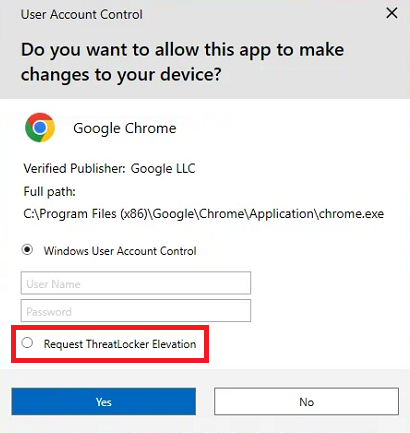
If you ever need to run an application with elevated administrator permissions, you will get this pop-up.
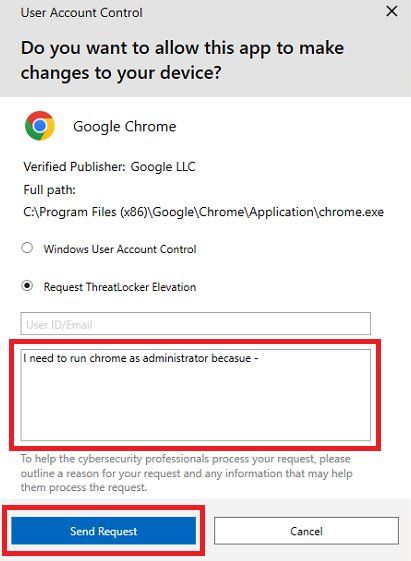
The pop-up will change to give you these options.
Optionally give us a reason for the request, then click 'Send Request'.
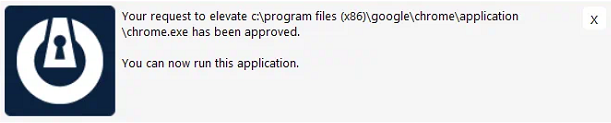
We will review the request, and once approved you will get another pop-up
If you have a local admin account, you can enter your Windows credentials. If not, select the 'Request ThreatLocker Elevation' option.
Was this helpful?
Related guides
- Microsoft 365 · Consider IT Email Protection
- Microsoft Teams · How to Email Files in Microsoft Teams as Attachments, Using Microsoft Outlook
- Microsoft 365 · How to clear the cache in the new Outlook app to fix sync issues
Still stuck? Open a support ticket →
Published 10 June 2026 · Last updated 17 June 2026